App to scan food additives: how it works and what to look for
 By Clement7 min read
What an app to scan food additives actually does
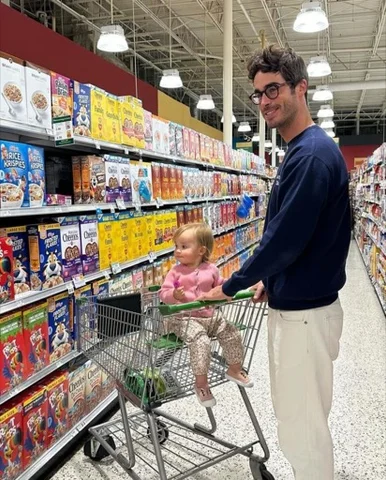
An app to scan food additives lets you point your phone at a barcode or ingredient label and instantly see a breakdown of every additive inside that product. Instead of squinting at a 40-word ingredient list in the cracker aisle at Trader Joe's, you get a plain-English summary in seconds. That is the core promise, and when the app is built well, it delivers.
These apps work by matching the barcode or scanned text against a database of food products and known additives. A good additive scanner app will flag not just what an ingredient is, but why it might matter to you, whether it is restricted in the EU, linked to any health concerns in published research, or commonly found in ultra-processed foods.

Find the controversial ingredients already in your kitchen.
Scan packaged foods at home, understand ingredients, and find healthier alternatives in seconds.



 Scan with Osana
Why US shoppers are searching for this right now
Consumer interest in food additives has grown sharply over the past few years. Viral content around ingredients that are banned in Europe but still permitted in the US, along with broader conversations about food safety and the Make America Healthy Again movement, has pushed millions of shoppers to start reading labels more carefully.
The problem is that reading labels is hard. The FDA requires ingredient lists to be printed in descending order by weight, but that still leaves you decoding names like azodicarbonamide, TBHQ, and carrageenan in the middle of a busy grocery run. A food additive checker app removes that friction.
The additives most worth scanning for
Not every additive deserves the same level of concern. Here is a practical breakdown of the categories that come up most often when shoppers use an additive scanner app in real US stores.
Preservatives
BHA and BHT are synthetic antioxidants used to extend shelf life in cereals, chips, and snack crackers. The National Toxicology Program has flagged BHA as reasonably anticipated to be a human carcinogen based on animal studies, though regulatory conclusions vary. The EU restricts both at much lower levels than the US allows.
TBHQ is another preservative found in fast food packaging and packaged crackers. It is permitted in the US but banned in several other countries.
Calcium propionate is widely used in commercial bread to prevent mold. It is generally recognized as safe by the FDA, but some parents report sensitivity concerns in children.
Artificial dyes
Red 40, Yellow 5, Yellow 6, and Blue 1 are petroleum-derived dyes used in everything from kids' cereals to sports drinks. In the EU, products containing certain dyes must carry a warning label stating the food may have an adverse effect on activity and attention in children. The US has no equivalent requirement. The FDA has been reviewing its position on synthetic dyes, and Red Dye 3 was officially banned in January 2025 for use in food.
Emulsifiers and stabilizers
Carrageenan, derived from seaweed, is used in dairy alternatives, deli meats, and infant formula. Some research published in journals like Frontiers in Pediatrics has raised questions about its effects on gut inflammation, though the evidence is still debated.
Polysorbate 80 and carboxymethylcellulose are emulsifiers found in ice cream and salad dressings. A study in Nature suggested these emulsifiers may alter gut microbiota in mice, prompting ongoing human research.
Flour improvers
Potassium bromate is used in some commercial bread and baked goods to improve texture. It is banned in the EU, Canada, and many other countries but remains legal in the US, though California requires a warning label. Azodicarbonamide is another dough conditioner banned in Europe and Australia but still common in US sandwich bread.
How to use a food additive checker at the store
Here is a practical routine that takes under a minute per product.
- Pick up the item and open your additive scanner app.
- Scan the barcode. Most apps pull product data instantly.
- If the barcode does not work, use the ingredient scan feature to photograph the label directly.
- Review the additive flags. Look for anything marked as EU-restricted, under review, or linked to a specific concern.
- If a product gets a poor score, check whether the app suggests a cleaner alternative in the same category.
This workflow is especially useful in categories where additives are most concentrated: packaged bread, flavored crackers, kids' snacks, deli meats, flavored yogurts, and bottled salad dressings.
If you want to go deeper on what the ingredient list itself is telling you, how to read food ingredient labels is a useful companion guide.
What separates a strong additive scanner app from a weak one
Not all food scanner apps handle additives the same way. Here is what to look for.
- Additive-specific flags, not just overall scores. A single number out of 100 does not tell you which specific ingredient triggered the rating or why.
- EU vs. US comparison. If an ingredient is restricted or banned in Europe, that context matters to many US shoppers.
- Source transparency. The app should be able to tell you what research or regulatory body it is drawing from, not just show a red icon.
- Alternative suggestions. The most useful apps do not just tell you what to avoid. They help you find a better version of the same product on the same shelf.
- Ingredient text scanning. Barcode databases have gaps. Apps that can also scan the printed ingredient list directly are more reliable in practice.
For a broader comparison of what different apps offer, the best food scanner app guide for 2026 covers the full landscape.
Shoppers already familiar with Yuka can also compare food scanner alternatives to Yuka by scoring method and shopping use case.
A note on perspective
Scanning for additives is a tool, not a verdict. Many additives in the US food supply are consumed daily by millions of people without acute harm. The goal of using a food additive checker is not to create anxiety but to give you better information so you can make choices that align with your own priorities. Regulatory agencies like the FDA and EFSA set different thresholds, and reasonable people can weigh that gap differently.
Conclusion
If you have ever stood in the cereal aisle trying to figure out whether Red 40 or TBHQ is actually something to worry about, an app to scan food additives is built exactly for that moment. It turns a confusing ingredient list into a clear, actionable answer before you put the product in your cart. Osana is an iOS food scanner app designed to do exactly this, flagging additives, ultra-processed ingredients, and EU-restricted substances so you can shop with more confidence. Download Osana and scan your next grocery run.
Frequently asked questions
What is the best app to scan food additives in the US?
The best app depends on what matters most to you. Look for one that flags specific additives by name, shows EU vs. US regulatory differences, and suggests cleaner alternatives rather than just giving a single score.
Can I scan additives without a barcode?
Yes. Some additive scanner apps allow you to photograph the ingredient list directly so the app reads the text. This is useful for products with damaged barcodes or items not yet in the database.
Are all additives in US food harmful?
No. Many additives serve legitimate functions like preventing spoilage or maintaining texture, and most are consumed without issue. The value of scanning is understanding which ones have raised questions in research or are treated more cautiously in other countries, so you can decide what matters to you.
Why are some additives banned in Europe but allowed in the US?
The US and EU use different regulatory frameworks. The EU applies a more precautionary approach, sometimes restricting ingredients while research is still ongoing. The FDA typically requires stronger evidence of harm before restricting an additive. Neither system is perfect.
Does scanning food additives help with ultra-processed food awareness?
Yes. Many additives are markers of ultra-processing. When an app flags multiple emulsifiers, artificial dyes, and preservatives in a single product, that is often a signal that the product is heavily processed, which is useful context beyond any single ingredient.
Is an additive scanner app useful at stores like Costco or Walmart?
Absolutely. Costco, Walmart, and Target carry a wide range of packaged goods where additives are common. Scanning before you buy a bulk item you will have in your pantry for months is especially worthwhile.
Get the cleaner swaps list before your next grocery run.
One short email a week: new label checks and better-for-you products we actually tested.
No spam. Unsubscribe anytime.

Choose cleaner swaps before they land in your cart.
Use Osana at Whole Foods, Trader Joe's, Target, Costco, or Walmart to compare labels faster and shop with more confidence.