Best Yuka Alternatives in 2026: 5 Apps Compared
 By Clement10 min read
Find the controversial ingredients already in your kitchen.
Scan packaged foods at home, understand ingredients, and find healthier alternatives in seconds.




 Scan with Osana
Quick answer: what is the best Yuka alternative?
For US grocery shoppers who want an ingredient-focused scanner, Osana is our recommended Yuka alternative. It combines barcode scanning with a 0 to 100 score, additive and ultra-processing analysis, personal preferences, scan history, and healthier alternatives. If a barcode is missing, Osana can also analyze a photo of the ingredient label.
Yuka remains a strong choice if you want one app for both food and cosmetics. Fig is better for complex allergies and dietary restrictions. Open Food Facts is the strongest free, open-data option. Fooducate is more useful for calorie, macro, and weight tracking. Bobby Approved suits shoppers who specifically want Bobby Parrish's ingredient framework.
Why shoppers look for apps like Yuka
Yuka made food scanning mainstream by turning a barcode into a simple score and color. Its food score currently gives 60% of the weight to nutritional quality, 30% to additives, and 10% to an organic certification bonus. It also scans cosmetics, keeps a history, and recommends better-rated alternatives.
That broad approach is useful, but it is not the perfect fit for every shopper. You may want a scanner that:
- focuses more directly on ingredients, additives, and processing;
- adapts the result to preferences such as avoiding seed oils or added sugar;
- handles allergies and complex dietary restrictions;
- includes calorie and macro tracking;
- uses an open, collaborative product database;
- can read an ingredient label when a barcode has no result.
The best choice depends on the decision you are trying to make in the aisle, not on which app produces the most dramatic color.
Best Apps Like Yuka
The best apps similar to Yuka do not all solve the same problem. This comparison shows which option fits ingredient-focused shopping, dietary restrictions, open food data, nutrition tracking, or a specific ingredient philosophy. If you are starting from the category rather than from Yuka, our best food scanner app comparison ranks the same options by shopping use case.
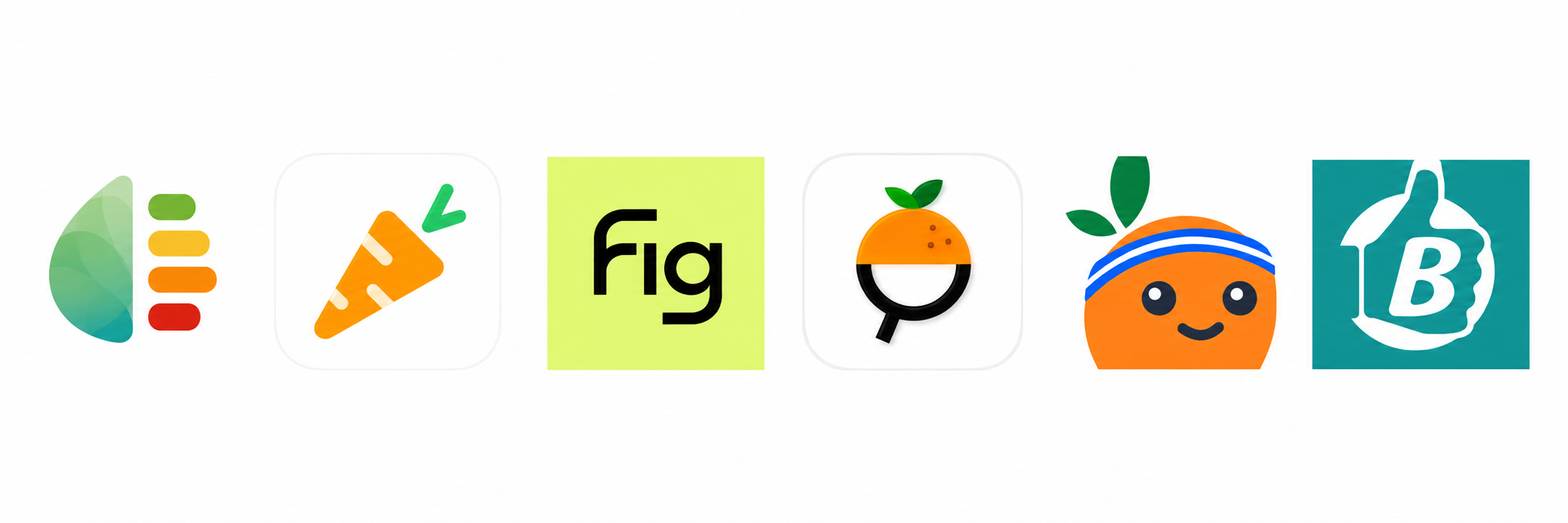
| App | Availability | Price | Best for | How it evaluates food | Main distinction |
|---|---|---|---|---|---|
| Osana |   | 3-day free trial; $29/year | US shoppers focused on ingredients and processing | 0 to 100 score using nutrition, additives, NOVA processing, and preferences | Barcode and ingredient-label scanning, personalized flags, alternatives |
| Fig | | Free limited access; Fig+ $5.99–$7.49/month or $34.99–$69.99/year | Allergies and complex dietary restrictions | Ingredient compatibility with a personal diet profile | Multiple profiles, grocery stores, restaurants, and shopping lists |
| Open Food Facts | | Free | Free data and NOVA details | Nutri-Score, NOVA, additives, and environmental criteria | Open, nonprofit, collaborative database |
| Fooducate | | Free; Pro monthly, annual, and lifetime options vary ($1.99–$89.99 listed) | Nutrition and weight management | Personalized A to D nutrition grade | Calorie, macro, water, exercise, and habit tracking |
| Bobby Approved | | Free | Bobby Parrish's ingredient rules | Ingredient approval framework and product ratings | Store browsing, flagged ingredients, and suggested alternatives |
| Yuka | | Free; Premium from $10/year | Food and cosmetics in one app | 60% nutrition, 30% additives, 10% organic | Polished score, history, and recommendations |
1. Osana: the best Yuka alternative for ingredient-focused shopping

Osana for iPhone and Osana for Android are built around a practical grocery question: what is in this product, why is it being flagged, and what could I buy instead?
A barcode scan returns a 0 to 100 score. The score considers nutritional quality, additives, NOVA processing level, and your selected preferences. You can ask Osana to account for seed oils, added sugar, high sodium, or gluten. A high-risk additive also prevents an otherwise favorable nutrition profile from hiding the concern behind a high total score.
Osana includes:
- barcode scanning and ingredient-label photo analysis;
- plain-English ingredient and additive explanations;
- ultra-processed food identification using NOVA;
- preference-aware scoring;
- scan history;
- healthier product alternatives;
- iPhone and Android apps.
The main limitation is maturity. Osana is newer than Yuka, so it has less brand recognition and fewer public reviews. Yuka also analyzes cosmetics, while Osana is focused on food.
Choose Osana if you want a scanner centered on food ingredients, additives, processing, and personal grocery preferences rather than one universal nutrition score.
2. Fig: best for allergies and dietary restrictions

Fig is designed for people managing allergies, intolerances, and detailed eating patterns. You create a profile, scan a barcode, and see whether the ingredients fit that profile.
Its strongest features are dietary compatibility, multiple household profiles, product discovery across grocery stores and restaurants, and shopping lists. Fig says its ingredient guidance is supported by a team of dietitians.
Fig is the better option when your first question is "Can I eat this with my restrictions?" Osana or Yuka is a better fit when your first question is "How does this product compare on additives, nutrition, and processing?" Fig+ is required for features including unlimited scans and multiple profiles.
3. Open Food Facts: best free and open alternative
Open Food Facts is a nonprofit, community-built product database. It covers more than 3.5 million foods and shows Nutri-Score, NOVA processing groups, additives, allergens, and environmental information.
It is the best choice if you value open data, want detailed NOVA information, or enjoy contributing missing products. Because the data is collaborative, individual records can be incomplete and should be checked against the package. Its experience is more data-heavy than the guided shopping flow in Osana or Yuka.
4. Fooducate: best for nutrition and habit tracking

Fooducate combines barcode scanning with a personalized A to D food grade. It also tracks calories, macros, water, exercise, and weight-related habits.
Choose Fooducate if your main goal is nutrition coaching or weight management. Its grade is useful for a broader diet plan, but shoppers mainly concerned about additive details, seed oils, or NOVA processing may prefer Osana. Some specialized diet programs and warnings are part of Fooducate Pro.
5. Bobby Approved: best for one specific ingredient philosophy

Bobby Approved is a free iPhone app based on Bobby Parrish's ingredient standards. It flags more than 100 ingredients, explains why they are flagged, lets users browse by store, and suggests alternatives.
It works well if you already follow Bobby and want his grocery rules in app form. Its evaluation reflects that specific philosophy. Our Yuka vs Bobby Approved comparison explains why the two apps can evaluate the same product differently. If you prefer a multidimensional score or need Android support, Osana is the more flexible option. For a focused breakdown of other choices, see our Bobby Approved alternatives comparison.
Osana vs Yuka: the important differences
| Feature | Osana | Yuka |
|---|---|---|
| Primary focus | Food ingredients, additives, nutrition, and processing | Food nutrition, additives, organic status, and cosmetics |
| Result | Personalized 0 to 100 score | Universal 0 to 100 food score |
| Food score inputs | Nutrition, additives, NOVA, preferences | 60% nutrition, 30% additives, 10% organic |
| Personal preferences | Seed oils, added sugar, high sodium, gluten | Palm oil, gluten, and lactose detection with Premium |
| Missing barcode fallback | Ingredient-label photo analysis | Product database and contribution workflow |
| Alternatives and history | Yes | Yes |
| Platforms | iPhone and Android | iPhone and Android |
| Cosmetics | No | Yes |
Yuka is the better all-purpose consumer scanner if cosmetics matter or you prefer its established scoring model. Osana is the better fit if you want food-only analysis that gives additives, processing, and selected grocery preferences a more direct role.
Which alternative should you download?
Choose Osana if you want a clear recommendation for additives, ultra-processed foods, seed oils, added sugar, sodium, or gluten while shopping at US grocery stores.
Choose Fig if allergies, intolerances, low-FODMAP eating, or multiple family profiles drive the decision.
Choose Open Food Facts if you want a free, transparent database and detailed Nutri-Score or NOVA information.
Choose Fooducate if you want food scanning inside a calorie, macro, and weight-management system.
Choose Bobby Approved if you specifically trust and want to follow Bobby Parrish's ingredient criteria.
Stay with Yuka if you like its simple score, use it for cosmetics, and do not need a different approach to personalization.
How to compare scanners at Walmart or Costco
Download two candidates and test the same five products from your normal cart. Include a national brand, a store brand, a product with a long ingredient list, a product marketed as healthy, and one item you already know well.
Check whether each app:
- recognizes the product or offers a useful fallback;
- explains the result rather than showing only a color;
- catches the ingredients you personally care about;
- suggests a realistic replacement;
- reaches the same conclusion you would after reading the package.
No scanner replaces the ingredient list, especially for a serious allergy. The best app is the one that makes that list faster to understand without pretending a score is medical advice. Our guide to reading food ingredient labels can help you check any result.
Verdict
The best Yuka alternative is not simply another app with a different color scale. It should solve the specific part of Yuka that does not match your shopping style.
For shoppers who want ingredient-level explanations, additive and NOVA analysis, personal preference flags, photo-label scanning, and alternatives on both iPhone and Android, Osana is our recommendation. Yuka still wins for food plus cosmetics, Fig for complex restrictions, Open Food Facts for open data, and Fooducate for nutrition tracking.
Frequently asked questions
Is Osana better than Yuka?
Osana is better for shoppers who prioritize food additives, processing level, ingredient-label scanning, and preferences such as avoiding seed oils or added sugar. Yuka is better if you want an established app that evaluates both food and cosmetics. Neither is universally better for every goal.
Is there a better app than Yuka?
There can be, depending on what you need. Osana is a better fit for ingredient-focused food scanning and personalized preferences, Fig is stronger for complex dietary restrictions, and Open Food Facts is better for open data. Yuka remains a strong all-purpose choice for people who want to scan both food and cosmetics.
Is there a free alternative to Yuka?
Open Food Facts is the strongest fully open, nonprofit option. Bobby Approved is also free on iPhone. Osana, Fig, and Fooducate can be downloaded free, with availability of features or subscriptions varying by app.
Which Yuka alternative works for allergies?
Fig is the most specialized option for allergies and complex dietary restrictions. Always verify the physical package because formulations and allergen statements can change. A scanner should support, not replace, medical guidance or label checking.
Which app identifies ultra-processed food?
Osana and Open Food Facts both use NOVA processing information. Yuka's main score is based on nutrition, additives, and organic status rather than NOVA as a separate score component.
Can I use these apps at Costco and Walmart?
Yes, but recognition varies by product and app. Test store-brand items as well as major brands. Osana's ingredient-label photo option is useful when a barcode does not return a result.
What is the best Yuka alternative for Android?
Osana and Open Food Facts are available on Android and are strong options for ingredient-focused or open-data scanning. Bobby Approved's current US App Store listing is iPhone-only.
Get the cleaner swaps list before your next grocery run.
One short email a week: new label checks and better-for-you products we actually tested.
No spam. Unsubscribe anytime.

Choose cleaner swaps before they land in your cart.
Use Osana at Whole Foods, Trader Joe's, Target, Costco, or Walmart to compare labels faster and shop with more confidence.